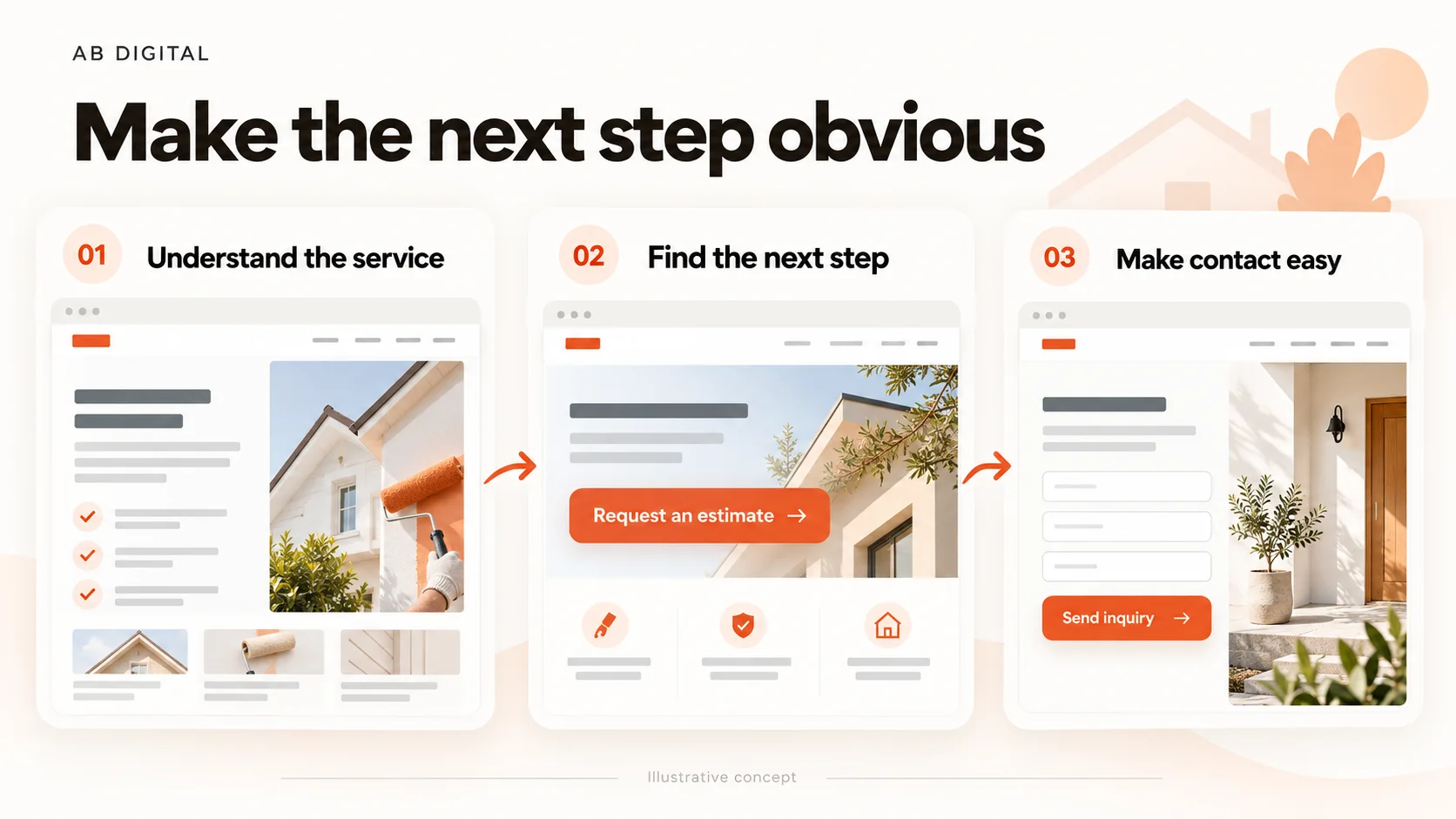
Before spending money on a website redesign, try using your current site as a customer.
Open it on your phone. Find a service, check where the business works, and look for a way to get in touch. Is the information clear? Does the next step work?
For a plumber, roofer, landscaper, cleaner, or other local business, these practical details deserve attention before another decorative feature.
This small business website checklist will help you identify obstacles and decide whether you need targeted improvements or a larger redesign.
How to use this website checklist
Choose your homepage, one important service page, and your contact page.
For each check, record Pass, Needs work, or Not applicable. Write down the specific problem and the page where it occurs.
You are looking for obstacles customers might encounter. The checklist is a planning tool, not a score that predicts rankings, inquiries, or revenue.
Make your main service immediately understandable
Read your opening heading without looking at your business name.
Does it explain what you do, or could it belong to almost any company?
For example, “Residential painting and decorating” gives visitors more useful information than “Quality you can trust.”
Your first screen should help answer:
- What service do you offer?
- Who is it for?
- Where do you provide it, when relevant?
- What can someone do next?
Try this: Ask someone unfamiliar with your business to explain your offer after reading the opening section. If they struggle, simplify the heading and supporting sentence.
Explain where you work
Customers should not need to complete a form to discover whether you serve their area.
If you travel to customers, describe your actual coverage. If customers visit you, provide accurate visiting information and hours. If your work is remote, explain that clearly.
For example, a landscaping business could name the towns it genuinely serves and explain whether it considers projects outside that area.
Try this: Open a service page directly. Can someone understand your coverage without first visiting the homepage?
Avoid creating numerous nearly identical city pages. Separate location pages should contain useful information about the places you genuinely serve.
Give each page a clear next step
A visitor reading about an urgent repair may want to call. Someone considering a larger project may need an estimate. Someone comparing providers may want to see examples first.
Choose an action that matches the page.
Useful button labels include:
- Request an estimate.
- View project examples.
- Ask about your project.
- Check consultation availability.
Avoid several equally prominent buttons without explaining their purpose.
Try this: Start on an important service page and follow its main action. Check that the destination matches what the button promises.
Check the mobile experience beyond the homepage
A website fitting on a phone screen does not automatically make it comfortable to use.
Check whether:
- Text is readable without zooming.
- Buttons have enough space around them.
- Menus open and close reliably.
- Forms remain accessible when the keyboard opens.
- Notices and floating bars leave controls unobstructed.
- Important information is available without hovering.
- Content fits without sideways scrolling.
Try this: Use your phone to move from a service description to the contact page. Note anything that overlaps, jumps unexpectedly, or makes the task harder.
Check a shorter screen or landscape orientation where practical. A layout that works on one phone may still have problems elsewhere.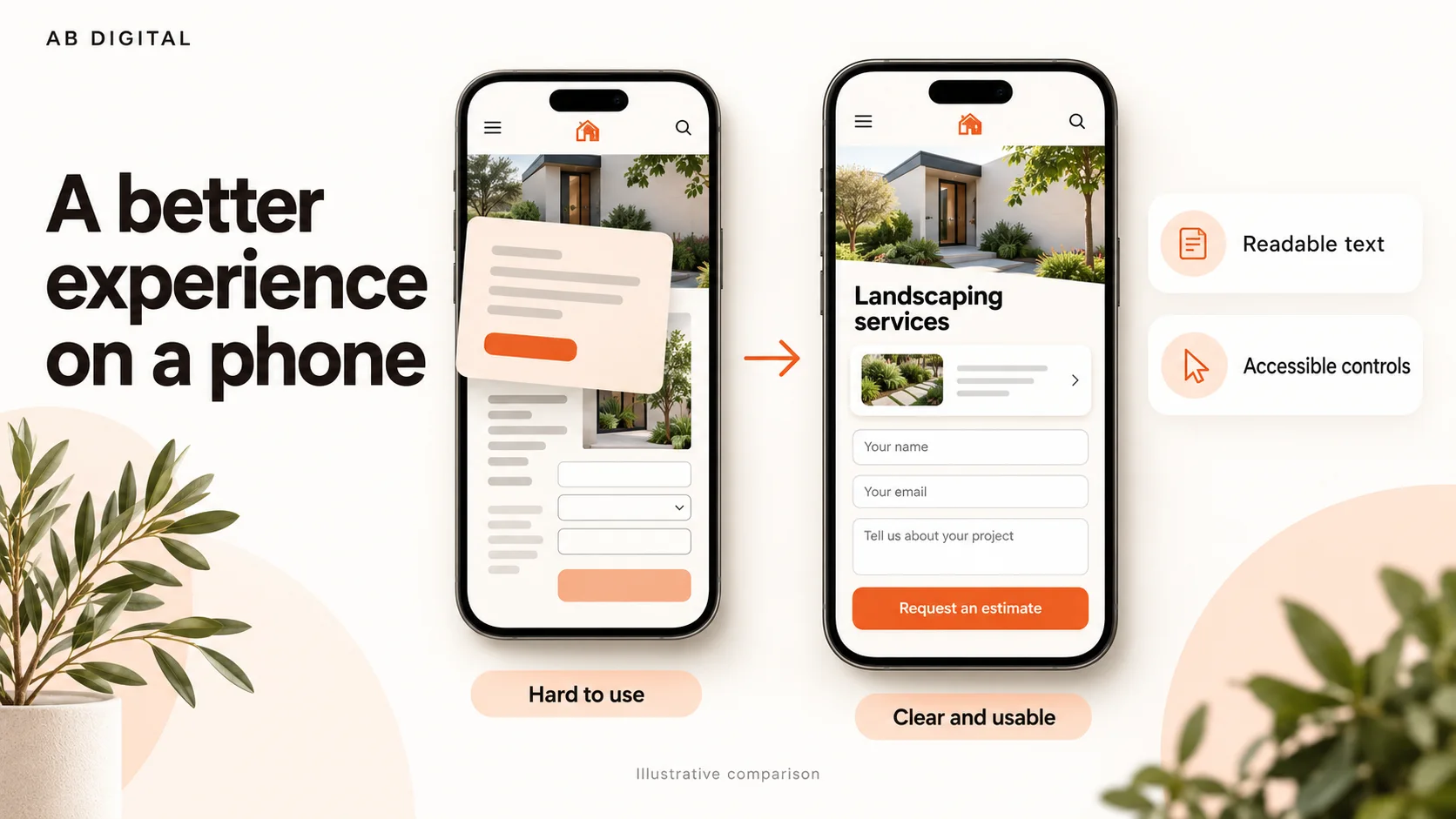
Answer practical questions about each service
Service names alone may leave visitors uncertain about what you actually provide.
Explain who a service is for, what it typically involves, and what requires an individual assessment.
For example, a cleaning business could distinguish a recurring visit from a one-time deep clean. A contractor could explain what information helps prepare an initial estimate.
Try this: List three questions customers commonly ask about one service. Check whether the relevant page answers them.
Do not promise availability, warranties, qualifications, or inclusions your business has not approved.
Show relevant, honest examples
Examples help visitors understand your work and assess whether it suits their needs.
Useful material may include:
- Project photographs used with permission.
- A short description of the work performed.
- Genuine customer feedback.
- Accurate information about experience or qualifications.
Protect customer privacy and obtain permission where necessary.
If an example is a concept rather than completed client work, label it clearly. Stock or generated images should not imply that you completed the pictured project.
Try this: Review the example nearest your main contact action. Does it support the service being described?
Make inquiry forms clear and dependable
Ask for information that helps you begin a useful conversation.
For example, a home-service inquiry might request:
- The service needed.
- A general project location.
- A brief description.
- A preferred contact method.
The right fields depend on your workflow. A complex installation may require more information than a straightforward question.
Make required fields clear, preserve entered information when validation fails, and explain errors in plain language. Keep optional marketing subscriptions separate from service requests.
Try this: Review the form on a phone, then arrange a controlled test with whoever manages your website to verify delivery and confirmation.
A success message does not prove that an inquiry reached the correct inbox.
Make booking match your actual process
A calendar should explain whether someone is booking a confirmed appointment or requesting a time that needs approval.
Visitors should also understand:
- What the appointment is for.
- Which time zone applies.
- What information they need to provide.
- What to do when no suitable times are available.
For some businesses, an estimate-request form is more appropriate than allowing customers to book a service visit directly.
Try this: Check that appointment types and dates load correctly. Use an isolated test environment for complete booking tests rather than creating unnecessary real appointments.
Provide another working contact option when scheduling is unavailable.
Explain pricing and what happens next
You do not need a fixed public price for every job.
You can still explain what affects an estimate, whether an assessment is needed, and which costs may be separate.
For example, a contractor could explain that project size, access, materials, and the condition of the existing work affect the quote, where those factors genuinely apply.
Try this: Review your website for conflicting prices and unclear starting-price language.
Distinguish a starting price, an estimate, and an agreed project price. Publish response expectations only when your business can reliably meet them.
Look for loading and layout problems
Large images, unnecessary scripts, and elaborate loading effects can make basic tasks frustrating.
Menus should respond when tapped. Buttons should not move just as someone tries to press them. Decorative animation should not prevent access to services or contact details.
Try this: Open your homepage and a service page on a phone using an ordinary mobile connection.
Look for:
- Images that take a long time to appear.
- Controls that do not respond promptly.
- Content moving after it becomes visible.
- Loading screens that delay usable information.
- Animations that interfere with reading or scrolling.
Performance tools can help investigate problems, but one test score does not describe every visitor’s experience or guarantee search rankings.
Keep public information accessible to search engines
Use descriptive page titles, useful headings, and ordinary links between relevant pages.
Explain services in visible text rather than placing essential information only inside images.
Public marketing pages should be accessible to search engines when you intend them to appear in search. Private account and administrative pages should retain their protections.
Try this: Ask whoever manages the website to check whether important public pages are accessible and eligible for indexing.
A sitemap helps search engines discover URLs, but it does not guarantee that a page will appear in results. Repeating keywords or creating extra pages without useful content is not a substitute for clear information.
Measure inquiries alongside visits
Website visits are useful when they include people your business can help.
Keep these actions separate:
- Clicking a contact button.
- Sending an inquiry.
- Scheduling an appointment.
- Attending a meeting.
- Becoming a customer.
A phone-link click does not prove a call connected. A booking-button click is not a completed appointment.
Try this: Keep a simple weekly record of inquiry sources and whether those inquiries fit your services.
Use aggregate information where possible. Any measurement tools should match your actual privacy disclosures and applicable visitor choices.
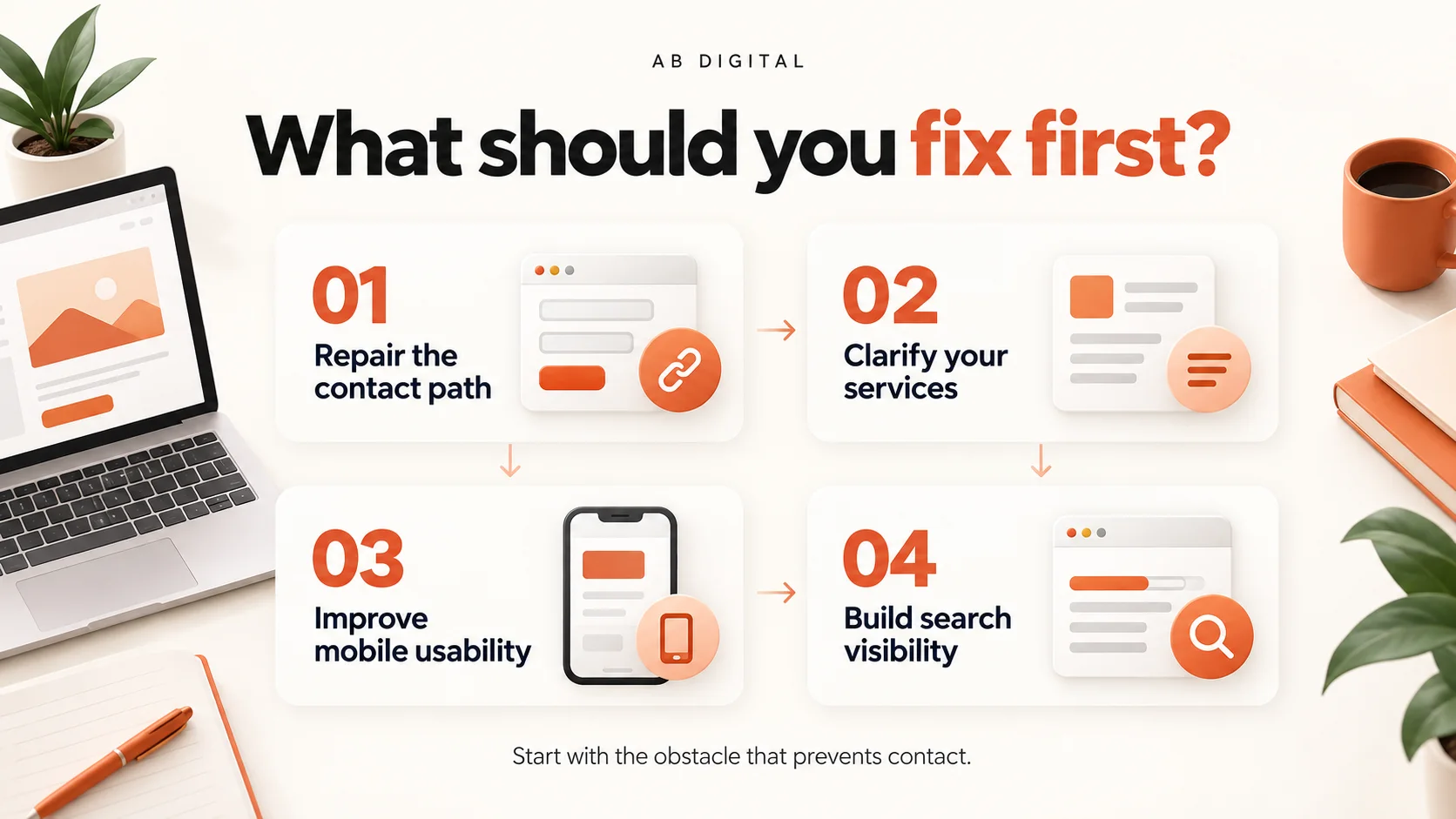
Decide what to repair before planning a redesign
Start with the obstacle that most directly prevents a suitable customer from reaching you.
- Repair broken forms, incorrect phone links, and unavailable calendars.
- Clarify your services, coverage, and next step.
- Improve mobile usability and relevant examples.
- Build search visibility through useful pages and ongoing content.
A complete redesign may be appropriate when the current structure cannot support your needs. A smaller repair may be sufficient when the main problem is a broken form, confusing heading, or missing service information.
Describe the problem first, then choose the scope of the work.
Common questions about improving a business website
Does a small business need a multi page website?
Not always. One focused page can suit a simple offer.
Separate pages become useful when customers need distinct service information, substantial project examples, or ongoing articles. Each page should serve a clear purpose.
Will a redesign automatically improve Google rankings?
No. Appearance alone does not guarantee search visibility.
A redesign should preserve useful content and URLs, handle necessary redirects, and address technical and usability problems. Search performance also depends on factors beyond the design.
Should I start a blog before fixing my contact form?
Repair a broken contact path first.
Articles can answer useful questions and attract relevant readers, but they cannot compensate for a website that prevents interested visitors from reaching you.
Should every service business offer online booking?
Only when it fits the service and workflow.
A consultation-based business may benefit from a calendar. A contractor who needs to assess a project first may be better served by an estimate-request form.
Discuss the right next step for your website
Choose one important page and identify the obstacle that makes it hardest for customers to understand your business or contact you.
If you would like help deciding between a focused repair and a larger redesign, Contact AB Digital to discuss your website and priorities.